

Linked Indexed Drawings for Shipyard Electrical Installation
Every cable points to its drawing. Every drawing points to its cables. No more outdated PDFs on the bulkhead.
The bulkhead above the workbench in every shipyard electrical crew’s cabin is the same: a stack of A1 PDFs, pinned with magnets, smudged with grease, dog-eared from a thousand rolls through gloved hands. Somewhere in that stack is the drawing you need. Somewhere in the stack next to it is the old version you should have thrown out last month. The difference between the two costs an hour of rework for every electrician who grabs the wrong one.
Shipyard electrical drawings live in a paradox. They’re the single most important reference on the deck, and they’re the single hardest thing to keep current. Engineering releases revisions weekly. Procurement updates part numbers. Classification surveyors ask for red-line mark-ups at handover. Meanwhile, the installer in Engine Room 3 is pulling a cable against a plan that went obsolete on Tuesday morning.
Cable Pilot’s linked indexed drawings feature fixes this at the root. Every drawing you upload is indexed to the cables and equipment items it depicts — not as a folder full of PDFs, but as a structured link that binds drawing metadata to the live project database. When an engineer releases revision 4 of a schematic, every cable tied to that drawing knows it. Every installer scanning a QR code on those cables gets revision 4 on their phone. The old revision 3 PDF on the bulkhead becomes a historical artifact, not a threat to the schedule.
This page walks through how linked indexed drawings reshape electrical installation on a vessel — from the import step that builds the drawing index to the commissioning dossier a classification surveyor opens on handover day.
Scan. Open. Build. Done.
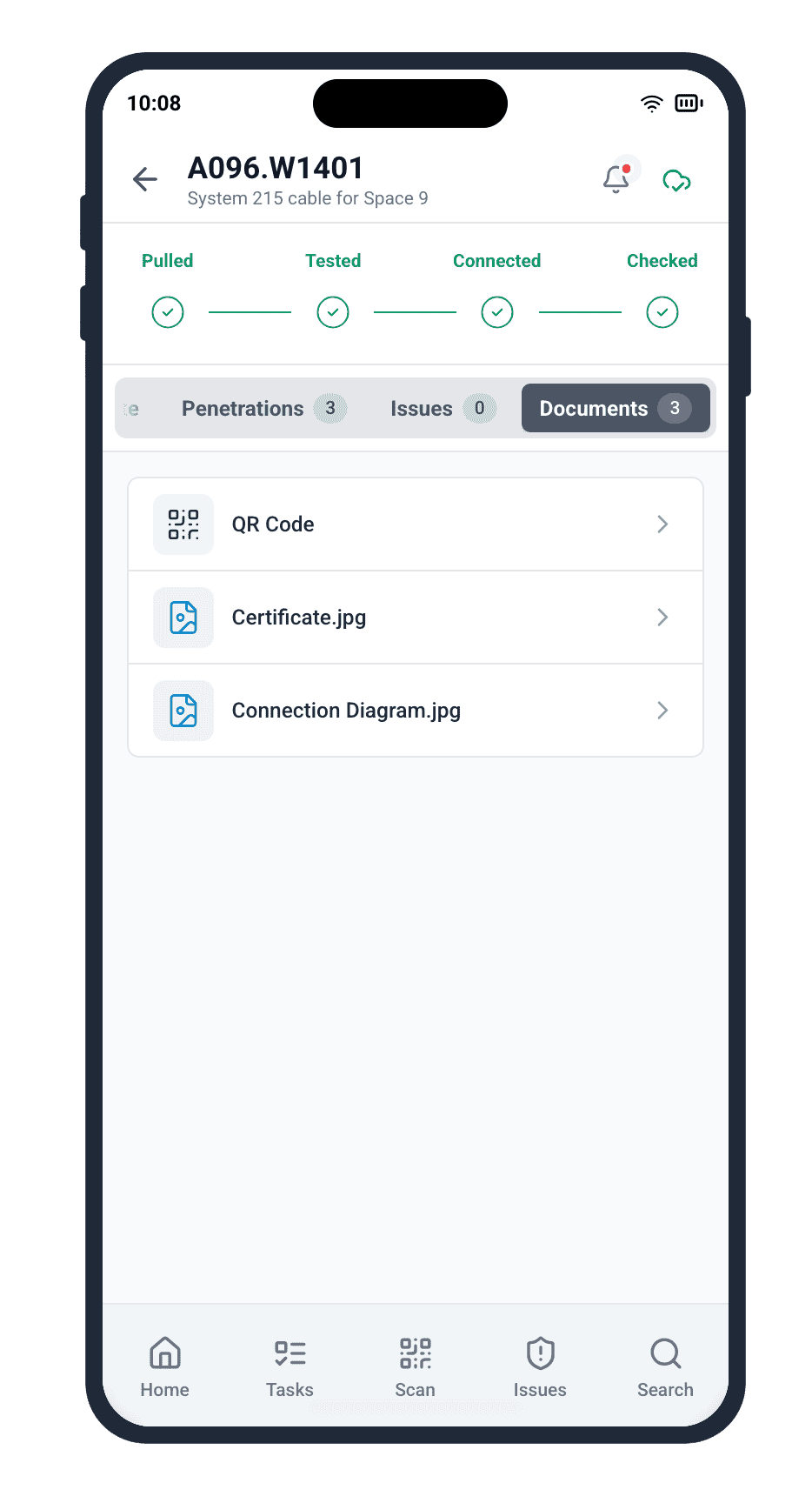
Cable Pilot collapses the drawing-retrieval cycle from ten minutes to ten seconds. An electrician walks up to a junction box, scans its QR code with their smartphone, and the app opens the exact drawing that depicts that junction box — not a folder of candidates, not a search results list. The specific drawing, at its current approved revision, pre-scrolled to the relevant callout.
The structured link behind the scan is what makes this instant. Every drawing is indexed to the equipment items and cable runs it shows. The QR code on the junction box carries an equipment ID. The platform resolves that ID to its linked drawings and serves the top-ranked one straight to the installer’s screen. Mobile drawing access stops being a walk back to the office and becomes a scan-and-read loop that fits inside a single breath.
Drawing Indexing Designed for the Way Shipyards Work
Drawings in a shipyard electrical project aren’t standalone documents. A single schematic might describe 40 cables across 3 compartments on 2 decks. A single cable list page might point to 12 schematics. Cable Pilot’s linked indexed drawings capture this many-to-many reality explicitly. Each drawing record carries the list of cable IDs, equipment IDs, and compartment references it depicts. Each cable and equipment record carries the reverse list of drawings that show it.
That reverse-link is the critical asset. When an electrician opens a cable’s digital record on the mobile app, they see every drawing that depicts that cable — routing plans, schematics, termination details, transit diagrams — ranked by relevance and filtered to the current approved revision. Shipyard electrical drawings stop being a scattered library and become a live, context-aware index that knows what you’re looking at.
Revision Control That Never Leaves a Worker Behind
Every drawing uploaded to Cable Pilot’s linked indexed drawings library carries its revision history. When engineering releases a new revision, the platform flags every cable and equipment item linked to that drawing as “drawing updated.” The next time an installer scans a QR code on any of those items, the app shows a clear banner: “Drawing revised — view latest.” No installer works against a stale plan unless they deliberately choose to.
This is where traditional PDF-folder workflows collapse. In the old model, a new revision meant printing, walking, pinning, tearing down the old copies — and hoping no one missed the memo. With linked indexed drawings, revision rollout is automatic. The drawing database is the source of truth. Every field device reads from it. The bulkhead above the workbench loses its role as the version-control mechanism, and the rework it used to cause disappears with it.
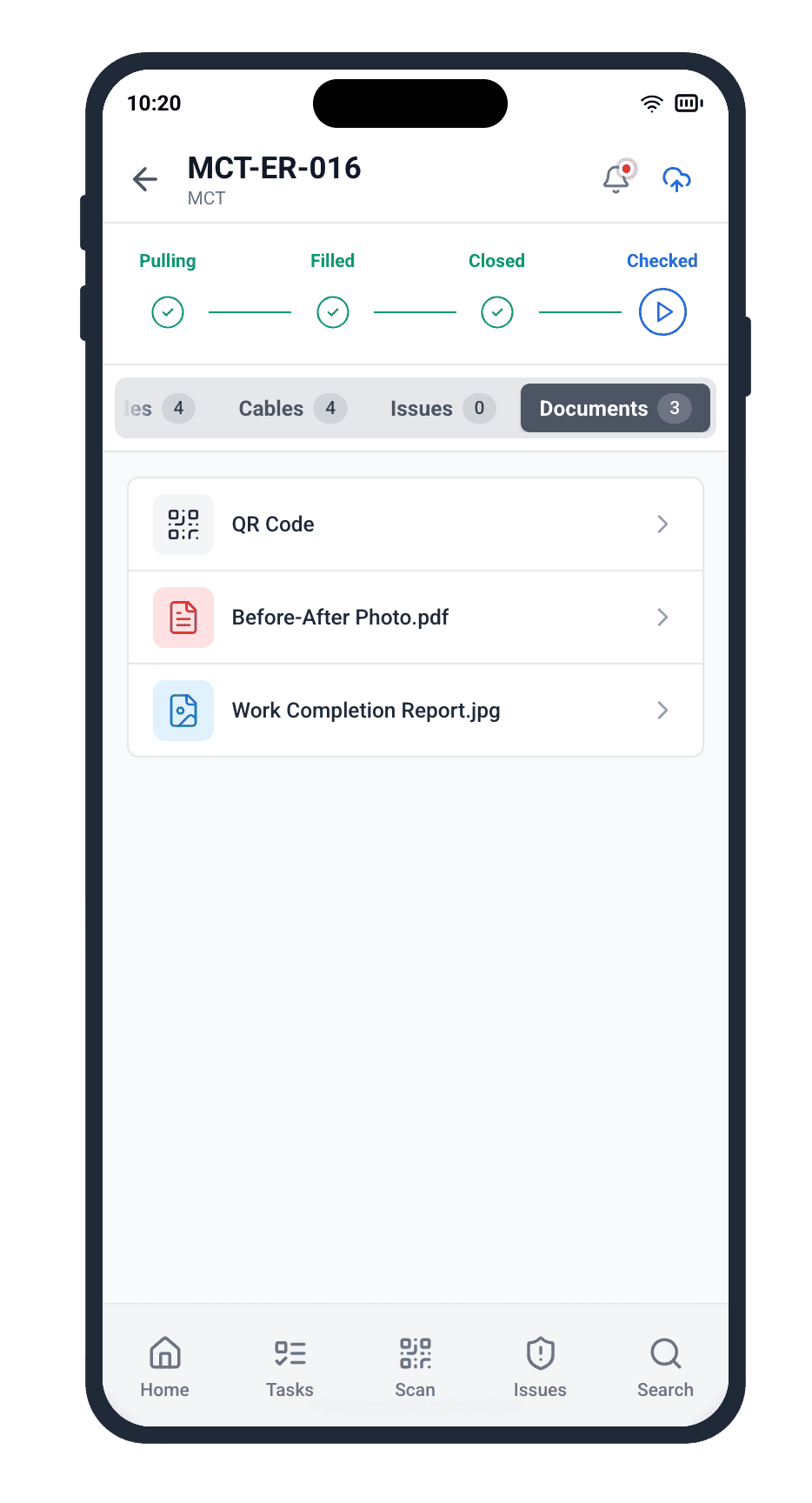
The simplicity of the scan-and-open flow masks the sophistication of the index behind it. Every drawing file that lands in the Cable Pilot library is parsed against the project’s cable and equipment database. Engineering-supplied metadata — cable IDs in a cable list, equipment tags in a schematic title block — drives the linking automatically. For drawings that don’t carry machine-readable metadata, Cable Pilot’s import engine runs an AI-assisted pass that extracts callouts and suggests links for an engineer to approve. You build the drawing index once, at import time, and the investment pays off on every subsequent scan for the life of the project.
Advanced shipyard electrical drawings management also handles the inverse search. A classification surveyor reviewing the fire detection system can open the system view and see every drawing that depicts any component of that system — routing plans, schematics, termination diagrams, test protocols — grouped by the component type and sorted by current revision. No folder-hunting. No “I think it was revision 3 but let me check with engineering.” The answer is one filter click away.
Drawings Linked to Every Installation Stage
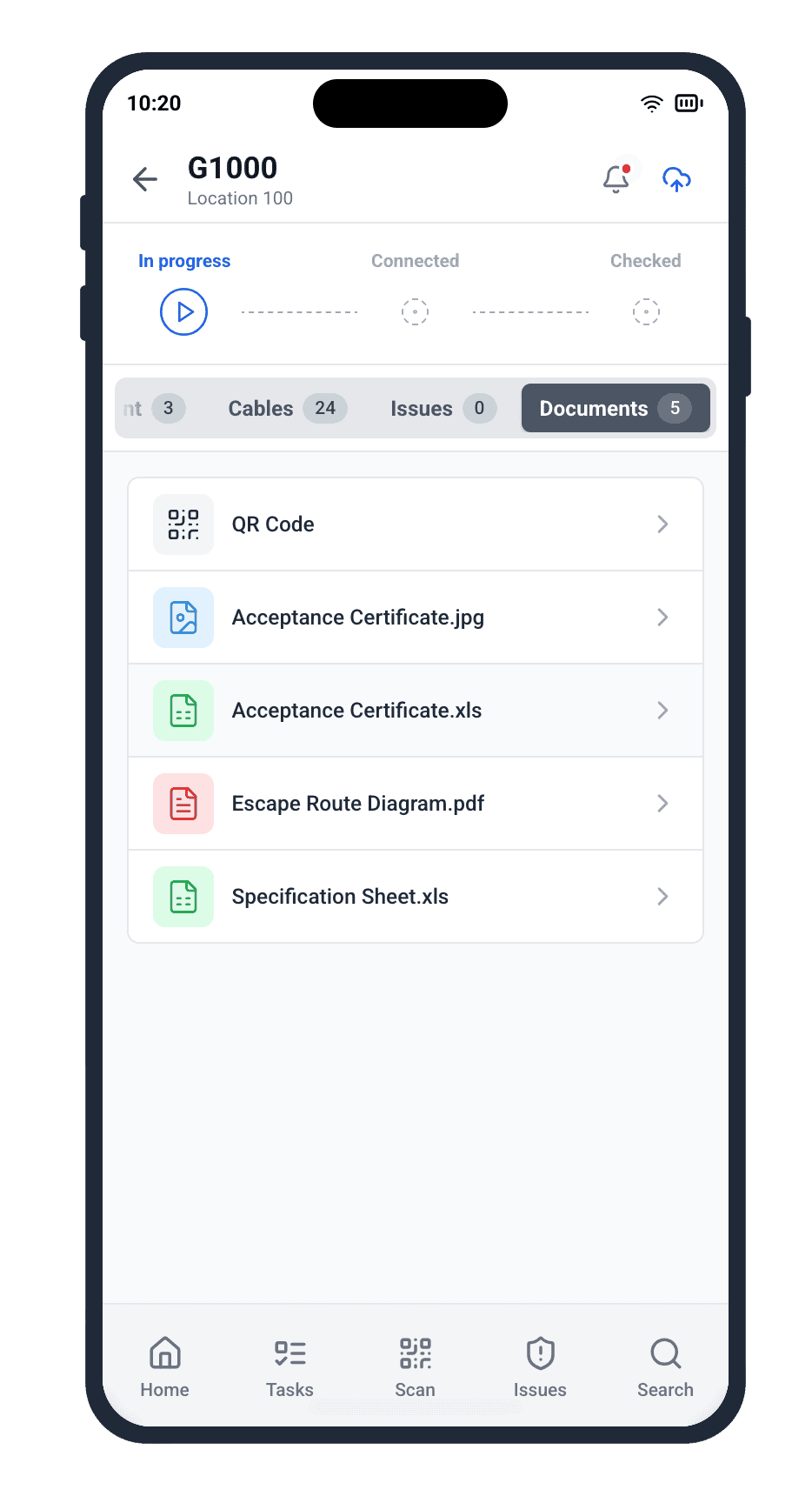
A cable’s journey on a vessel goes through pulling, termination, testing, and handover — and each stage references a different drawing, or a different callout on the same drawing. Cable Pilot’s linked indexed drawings understand this lifecycle. The same cable record serves routing drawings during pulling, termination detail drawings during connection, and insulation-test protocol drawings during commissioning. The field worker always sees the drawing that matches the task they’re currently doing, not a generic first-page overview.
Equipment follows the same logic. A distribution panel’s record carries its mounting drawing during the install phase, its wiring schematic during connection, its insulation resistance test protocol during commissioning. The installer on the deck doesn’t navigate through tabs — the app shows the right drawing for the current stage automatically, because the drawing index knows which phase each drawing belongs to.
Push the latest approved drawing to every installer working on its cables — automatically.
Drawing-Linked Testing and Red-Line Mark-ups
During the testing phase of electrical installation, drawings aren’t just reference material — they’re the substrate for red-line mark-ups that become part of the as-built documentation package. Cable Pilot lets an installer or QA inspector annotate a drawing directly from the mobile app. A cable that was rerouted around an unexpected obstruction gets its new path marked on the field copy of the drawing, and the mark-up is saved back to the platform linked to the cable record.
This turns the as-built drawing workflow from a manual post-commissioning chore into a continuous capture process. By the time the vessel is ready for handover, the red-line mark-up set is already assembled, already linked to every affected cable, already time-stamped by the worker who made each annotation. Classification societies and shipowners receive the as-built package as a living digital artifact, not as a frantic two-week assembly effort during final sign-off.
Full Audit Trail on Every Drawing Access
In a regulated industry, who looked at which drawing — and which revision — matters. Cable Pilot logs every drawing access against the user, the device, the cable or equipment context, and the timestamp. If a quality dispute arises after handover about whether an installer worked against the correct revision, the digital record settles it in seconds. Traceability isn’t a feature that lives somewhere else — it’s baked into every drawing interaction from the first scan onward.
This digital traceability extends beyond compliance. Project managers can see which drawings generate the most field questions, which revisions caused the most rework, and which system schematics had the highest installer-access rate in the final week before commissioning. That data drives the next project’s engineering-release strategy. Linked indexed drawings don’t just make today’s work faster — they make every future project’s planning smarter.
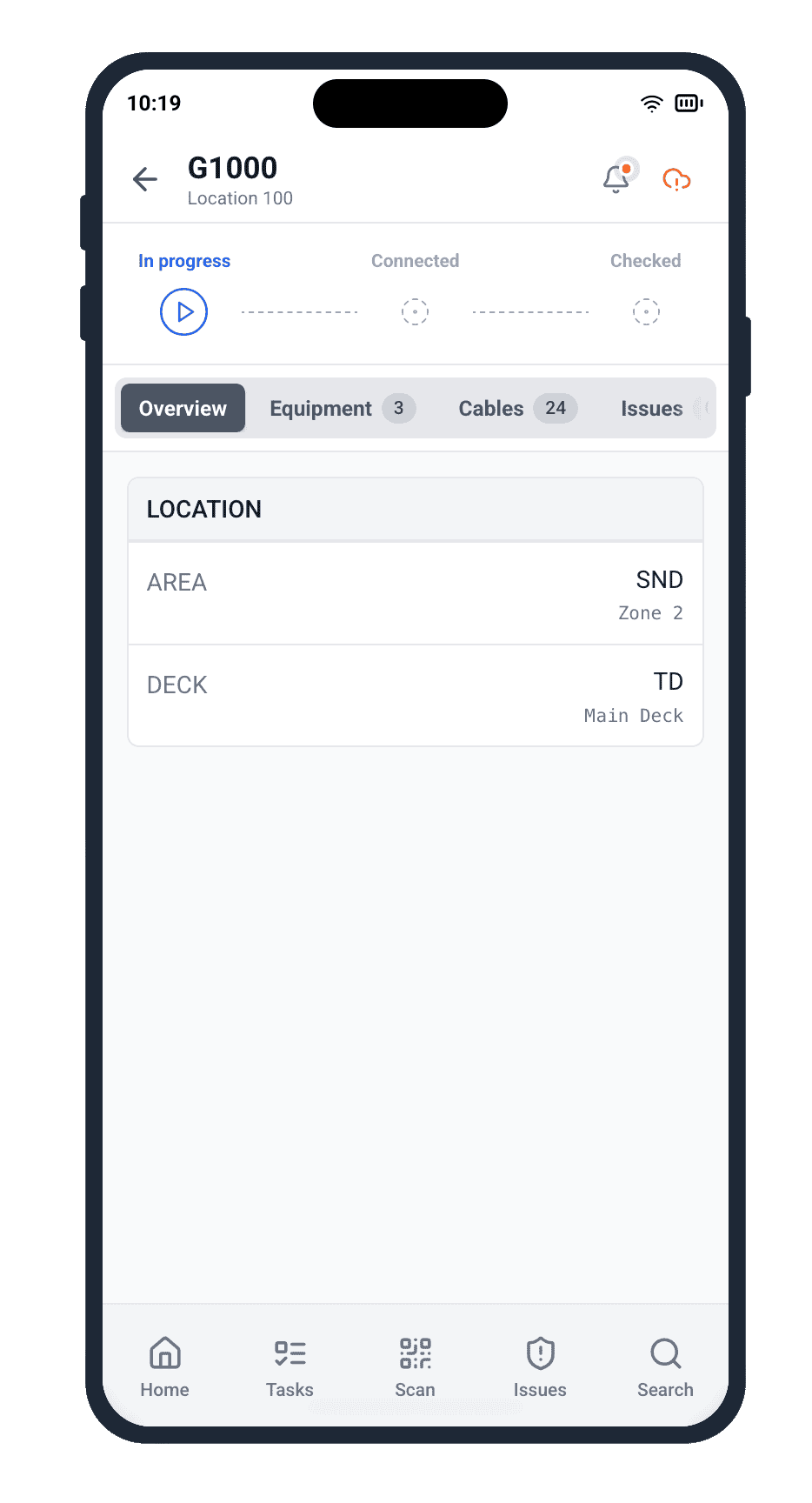
This drawing traceability extends straight into handover. Classification societies and shipowners don’t just want the current drawing set — they want proof that every cable, at every stage of its lifecycle, was installed against the correct approved revision. Cable Pilot’s audit trail delivers that proof as a single exportable dossier per system, compartment, or contractor. The commissioning package becomes a by-product of the daily drawing access log, not a separate multi-week assembly project.
Drawing management at the project level also becomes a strategic asset across the shipyard’s portfolio. Which drawing sets generated the fewest red-line mark-ups? Which revision-to-release cycles tracked cleanest against schedule? The platform’s drawing usage analytics turn each project’s drawing library into institutional knowledge the next vessel build can inherit. Over a portfolio of ten vessels, that compounding learning is worth weeks of engineering time and millions in reduced rework.
Offline Drawing Access for Deep-Vessel Work
Reliable internet is a luxury a modern shipyard doesn’t always grant. Deep in the engine room, inside a shielded compartment, behind three steel bulkheads, cellular and Wi-Fi signals disappear. Traditional mobile-drawing tools fail at exactly the moment an installer most needs them — right in front of the junction box they can’t identify without a schematic.
Cable Pilot’s mobile drawing access is offline-first. When an installer goes on-shift, their phone pre-caches every drawing linked to their assigned cables and equipment. They can scan QR codes, open drawings, view revisions, and annotate red-line mark-ups without any network connection. When they return to connectivity, every cached interaction syncs back to the platform automatically — including any annotations made offline. The deep-vessel work front stops being a data black hole and becomes a place where drawings are as available as on the shipyard’s main office Wi-Fi.
Turn your drawing library into a living index — searchable, filterable, and always in sync with the deck.
From Drawing Library to Drawing Intelligence
The moment a field worker scans a QR code and opens a drawing, two things happen. The drawing renders on their screen at the correct revision with the relevant callout highlighted. And the platform logs the access against the project’s drawing-usage analytics. Over the lifespan of a 14,000-cable project, that log becomes a live map of which drawings matter most, which revisions disrupt the work, and which engineering releases land cleanly.
Project managers looking at the Insights module see drawing-access heat maps: which drawings are pulled most often, which compartments drive the highest drawing-query rate, which subcontractors rely most heavily on which schematics. That data surfaces engineering bottlenecks before they become schedule risks. If the Fire Detection schematic is being re-accessed 40 times a day in its third week post-release, something in that drawing is unclear — and you know to get engineering back in front of it before more rework happens.
Drawing Access That Respects Commercial Boundaries
Large shipbuilding projects routinely involve multiple subcontractors, each with their own scope. Cable Pilot’s drawing access model respects those commercial boundaries. A subcontractor’s installers see only the drawings linked to the cables and equipment in their assigned scope. A competing subcontractor on an adjacent zone never sees the other team’s cable lists or drawing set — even when both teams are on the same project and the drawings live in the same library.
For the shipyard, this means you can use a single shipyard electrical drawings management platform across every contractor without compromising commercial isolation. Each party sees exactly their slice of the index, nothing more. Classification surveyors get an orthogonal cross-contractor view for their audits, with full access to every revision of every drawing. Role-based access is what turns Cable Pilot from a single-contractor tool into the yard-wide standard your project management office can mandate.
Integration With the 1-Click Field Workflow
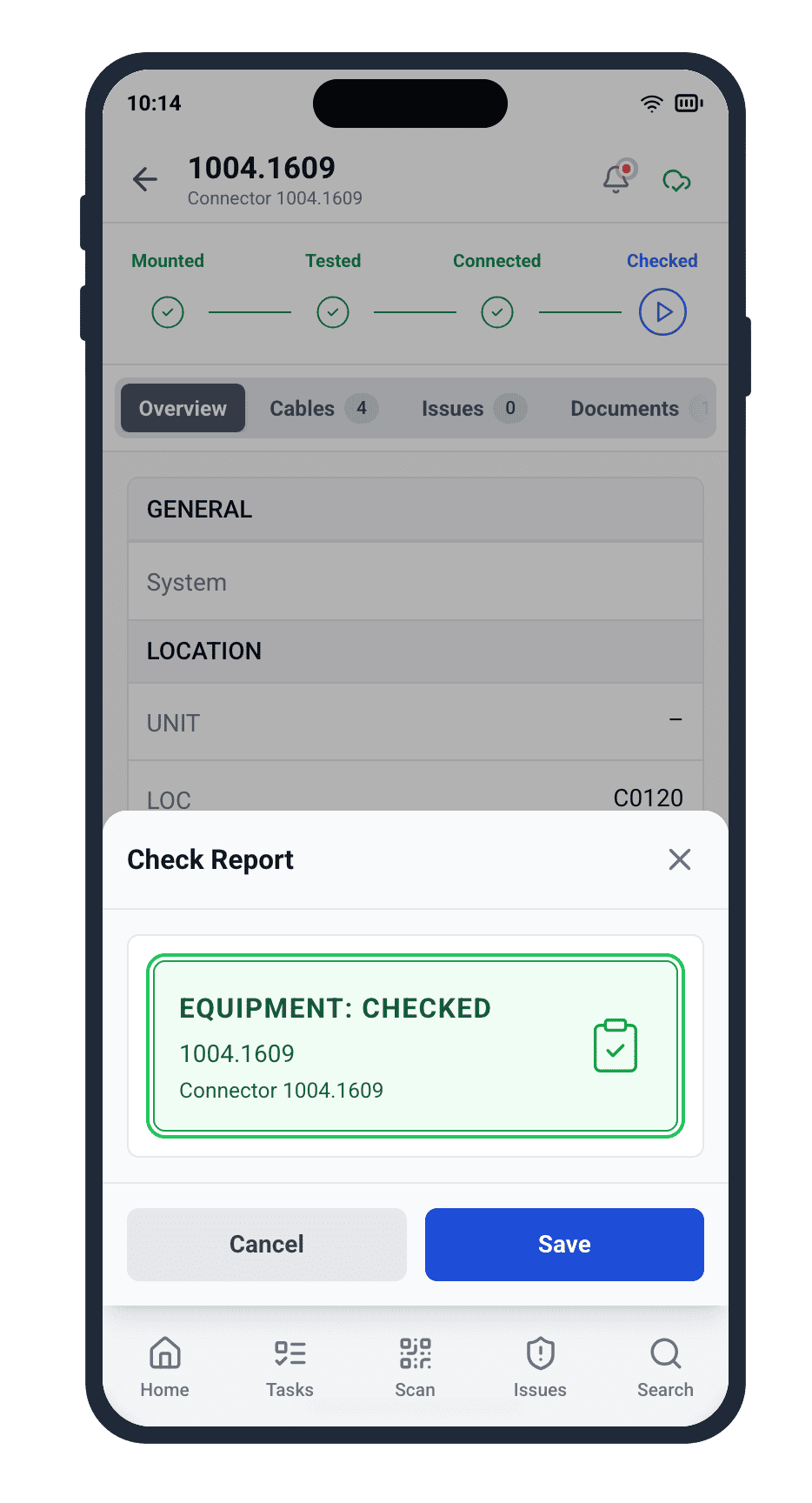
Drawing access is useless if it’s separate from the status-update workflow. Cable Pilot’s linked indexed drawings live inside the same mobile app that handles cable status updates, equipment scans, blocker reporting, and test-record capture. An installer scans a junction box, pulls up its drawing, completes the termination, snaps a photo, taps “Connected,” and adds a red-line mark-up if anything deviated from the plan — all in one continuous flow. No app-switching, no copy-pasting IDs between systems.
That single-app flow is what makes drawing access a frictionless part of the work, not a separate chore. By the time the crew comes off-shift, every cable they touched has an updated status, a photo, a red-line mark-up if needed, and a timestamped log of which drawings were consulted in the process. The project office sees all of it, live, on the Insights dashboard. Management stops needing end-of-day briefings to know what happened — the drawing-linked status updates tell them in real time.
Stop losing hours to outdated drawings. Start pulling the right schematic in seconds, from the deck.
Master Linked Indexed Drawings for Your Next Vessel
Paper drawings pinned to a bulkhead are a schedule risk you’ve paid for since the day you started working with electrical contractors. Every obsolete revision on the deck is an hour of rework you haven’t billed yet. Every lost PDF in a shared-drive folder is a commissioning delay you haven’t noticed yet. Traditional drawing management is the silent tax on every shipyard electrical project — and it’s the tax that scales fastest as projects get larger.
Cable Pilot’s linked indexed drawings remove that tax at the structural level. Every drawing is indexed to its cables and equipment. Every revision propagates automatically to every phone on the deck. Every access is logged for the handover dossier. Every red-line mark-up becomes part of the as-built drawing workflow as it’s made. Master linked indexed drawings today, and your next vessel’s electrical commissioning will be the smoothest your yard has ever delivered.
Request a Cable Pilot demo and see the drawing index turn your deck into a zero-paper, zero-rework electrical worksite.